

Quick Summary
This article breaks down the most common on-page SEO mistakes that hold pages back in search results. It covers title tags, meta descriptions, headings, content quality, internal links, image alt text, mobile experience, duplicate content, and indexing issues in a simple, practical way.
Introduction
A page can look fine on the surface and still fail to rank well. That happens more often than people think. The reason is usually not the topic itself, but the way the page has been put together. On-page SEO plays a big role in how search engines understand your content and how users experience it. If the title is confusing, if the headings are misleading, if the content is limited, or if the page isn’t what searchers want, the page could struggle from the initial stages. This is why professional SEO services often focus on improving on-page elements before looking at other optimization strategies. This is even more important for B2B websites as every page needs to do more than just bring traffic. It also has to build trust and create the right leads
Why on-page SEO is Important?
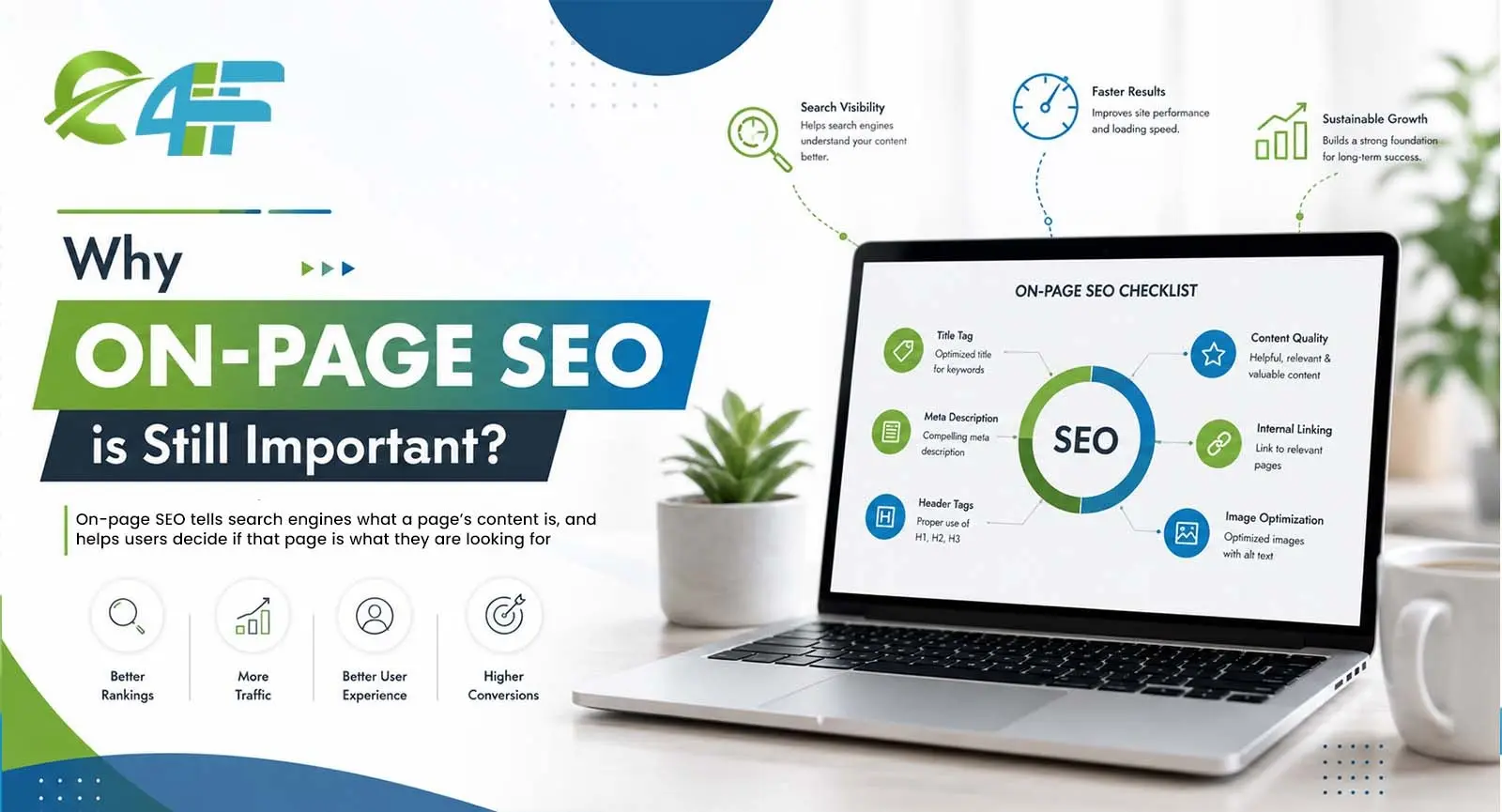 On-page SEO tells search engines what a page’s content is, and helps users decide if that page is what they are looking for. This includes the title tag, meta description, headings, body copy, images, internal links, and page structure. Combining these things makes the page more useful to both people and search engines.
Mistakes You Make Writing for Google
1. Title tags missing or weak
The title tag is one of the first things people see in search results. If it is vague,
too broad, or missing completely, the page loses a strong chance to attract clicks. Titles like “Home,” “Services,”
or “Blog” do not say enough about the page. Instead, a better title should
clearly state the topic and naturally include the main keyword. The aim is that the page should make sense even
before the user opens it.
How to make it better
- Make sure the title is simple and easy to understand.
- Make the main topic clear.
- Never use the same title on more than one page.
2. Meta descriptions that do not support clicks
A meta description does not directly decide rankings, but it does affect whether someone clicks on your page. If the description is too generic, too short, or keyword-heavy, it usually fails to generate interest. A good description will quickly explain what the page is about and why it matters. This small detail can make a big difference for B2B pages because it helps the right audience get the value of the content faster.
3. Poor heading structure
Headings help break content into clear sections. When they are used poorly, the page becomes harder to scan and harder to follow. Some pages repeat the same heading idea again and again. Good heading structure should flow and should be logical. It impacts engagement and conversion, as a mobile experience can help a brand look more trustworthy to B2B businesses.
Keep headings useful
- Use one main H1.
- Use H2 headings for major sections.
- Use H3 only where extra detail is needed.
- Make each heading describe the section honestly.
4. Content that misses search intent
One of the biggest SEO mistakes is writing content that sounds related but does not answer the searcher’s question. If someone searches for on-page SEO mistakes, they want the solution to their problem. They do not want a broad, unrelated explanation of SEO in general. When content misses that intent, people leave quickly. That usually tells search engines the page was not a good match. For B2B websites, answering the exact need is especially important because the reader is often comparing options and looking for practical guidance.
What to check
Ask yourself whether the page really solves the problem behind the search query. If it does not, the content needs a sharper focus.
5. Thin or repetitive content
Thin content is content that doesn’t say enough to be useful. Repetitive content is when the same thing is repeated in different words over and over. Both can make a page look feeble. Readers want information that’s clear, complete, and worth their time. Search engines also look for depth and usefulness in pages. That doesn’t mean writing long content for the sake of being long. This means sufficient detail to explain the topic properly.
Stronger content usually includes
- Clear explanations.
- Simple examples.
- Useful context.
- A natural flow from one point to the next.
6. Missing internal links
Internal links are links that point from one page on your site to another. They facilitate users’ navigation through your website and help search engines to understand the relationship between pages. Pages without internal links can feel cut off. For B2B websites, this is a missed opportunity because a blog post can lead readers to a service page, product page, or another useful article. That keeps the visitor engaged and gives the site more structure.
Easy fix
Add links only where they make sense. The link should feel helpful, not forced
7. No image alt text
Alt text is often overlooked, but it shouldn’t be. This will help search engines understand the image and also help with accessibility. Many websites either leave alt text empty or stuff it with keywords that do not accurately describe the image. That helps no one, users or search engines. Good alt text should just be a simple language description of what the image shows. If a keyword fits naturally, great. But it should never feel forced.
Keep it simple
Write alt text that describes the image clearly and briefly.
8. Duplicate or near-duplicate content
If a website has several pages that are pretty much saying the same thing, search engines may have difficulty figuring out which page should rank. This is sometimes true of sites with similar service pages or location pages or duplicate product descriptions. It can also happen when content is lightly rewritten but not really made original. Duplicate content does not always create a penalty, but it can weaken the site’s overall search performance. Each important page should have a clear purpose of its own.
9. Poor mobile experience
A page may look fine on desktop and still feel frustrating on mobile. Small text, hard-to-tap buttons, and layouts that shift while loading can all make the page difficult to use. Since so many people browse on mobile, this matters a lot. If a page feels clumsy on a phone, visitors may leave quickly. A clean mobile experience just makes a brand feel more trustworthy to a B2B audience.
What to Check
Pull the page up on your phone and see for yourself: is it easy to read, easy to scroll through, easy to actually tap and interact with?
10. Ignoring indexing issues
Search engines can’t index a page properly, so it can’t rank. Sometimes the page is blocked by a no index tag, a robots rule, or a canonical mistake. Sometimes the page is not included in the sitemap or is difficult for search engines to find. These problems are hard to detect, but they can prevent good content from appearing in search results. If a page is meant to bring traffic, it needs to be crawlable and indexable.
Basic checks
- Make sure the page can be indexed.
- Check the canonical setup.
- Confirm that the page is in the sitemap.
- Look for any crawl restrictions.
Practical checklist before publishing
Before you publish a blog or service page, run through this simple checklist:
- The title tag is clear and relevant.
- The meta description explains the value.
- The H1 matches the topic.
- The page answers the search intent.
- The headings are easy to follow.
- Internal links are added naturally.
- Images have proper alt text.
- The page works well on mobile.
- The content is unique.
- The page can be indexed properly.
Conclusion
None of these On-Page SEO Mistakes look dramatic sitting on their own, which is exactly why they’re so easy to ignore. Fixed together, though, they genuinely change how Google and actual visitors experience your site. If you want to know what’s actually holding your pages back instead of guessing, it’s worth talking to Eye4Future about getting a proper look at your site.
FAQs
What are the most common On-Page SEO Mistakes businesses make?
Do these mistakes really hurt rankings that much on their own?
How often should I actually check my site for these issues?
Does keyword stuffing still hurt rankings in 2026?
Can I fix on-page SEO myself, or do I need help?

Eye4Future
Since 2014, Eye4Future has been delivering innovative digital marketing and web development solutions to help businesses grow online. Our expert team creates tailored strategies that drive success and boost visibility.




 Company Profile
 Why Choose Us
 Clients Testimonial
 Mission, Vision & Goals
 Frequently Asked Questions
 Designing
 Development
 E-commerce
 Digital Marketing
 Reputation Management